
Your cart
There are no more items in your cart
Dropshipping - My Etsy products became disconnected
Etsy products can sometimes become unlinked if you make any changes to the Etsy listing after exporting, this error relates to Etsy functionality and is currently beyond our control.
This error could also be related to products, sizes or colours which have been discontinued, in this case see this help section.
Have you got orders on Etsy but you can't see them in your GoCustom account?
Firstly, let’s not disappoint your customer! To do that, can you please place a manual order from your GoCustom account – using the customers details for the delivery address. We will then get that order moving for you once it's in the paid status. (you can use any of the payment methods normally available to you).
Now let's fix the problem
You are going to need to check your products and re-link them.
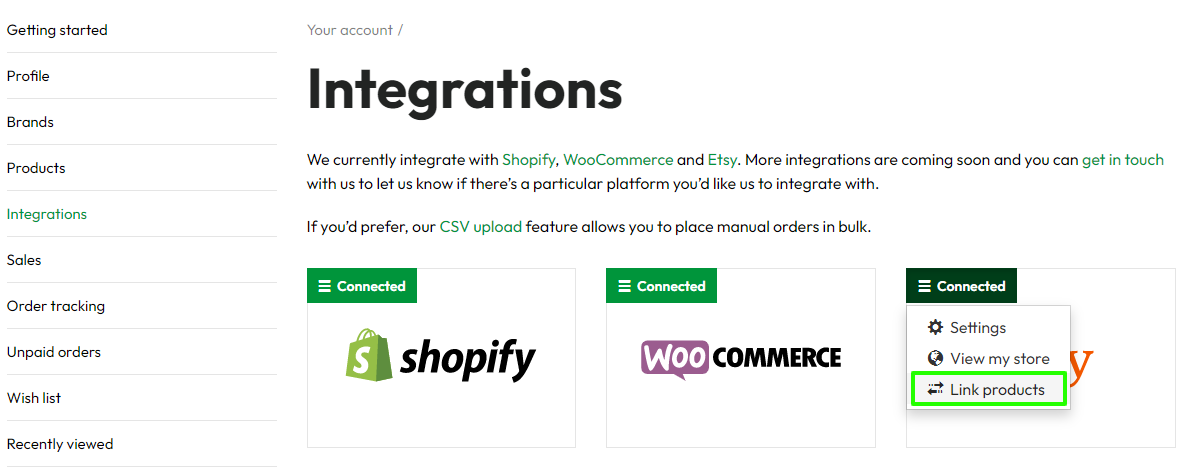
You can see if any products have lost their connection by going to your account > Integrations > hover over your connected store and select > Link Products.
or simply go to https://dropship.gocustomclothing.com/etsy-link-products
The % bar should be showing 100% if it is correctly linked. If it shows less than 100% then some or all elements of the product has become unlinked from Etsy.
You will see all the products that are in your connected store (not only products from GoCustom Clothing). Fully connected products show 100% in the connection bar. Products with issues from Etsy (or discontinued products from GoCustom) will likely show less than 100% or even 0%. See this example here:
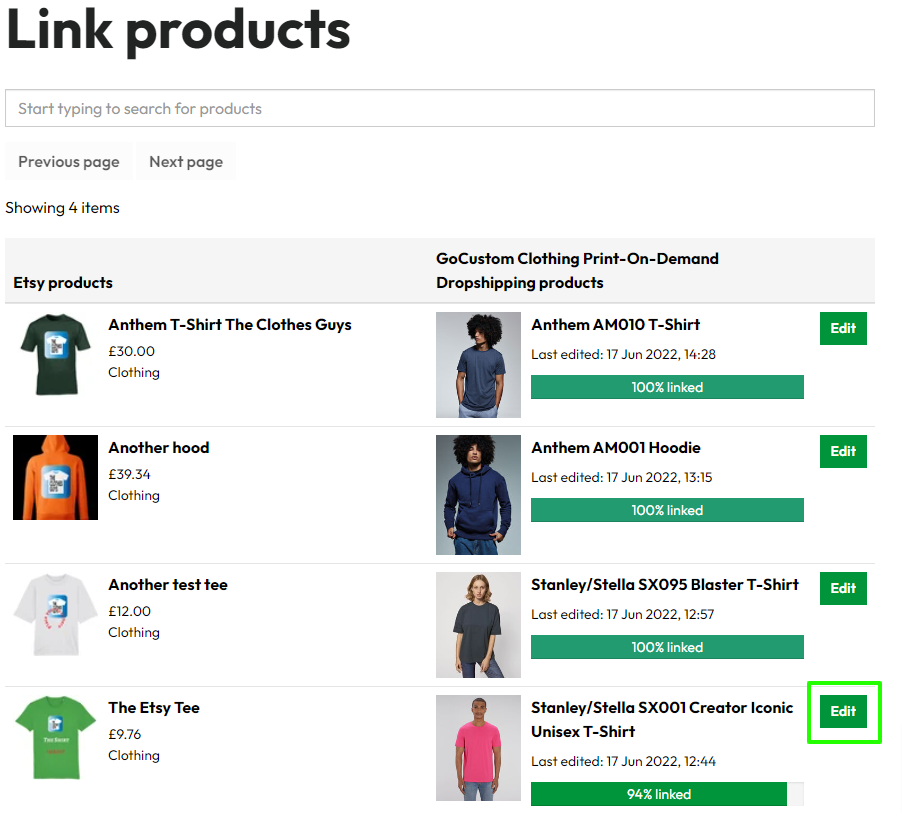
Click to edit and search for the item(s) which are disabled in the list (without a tick).
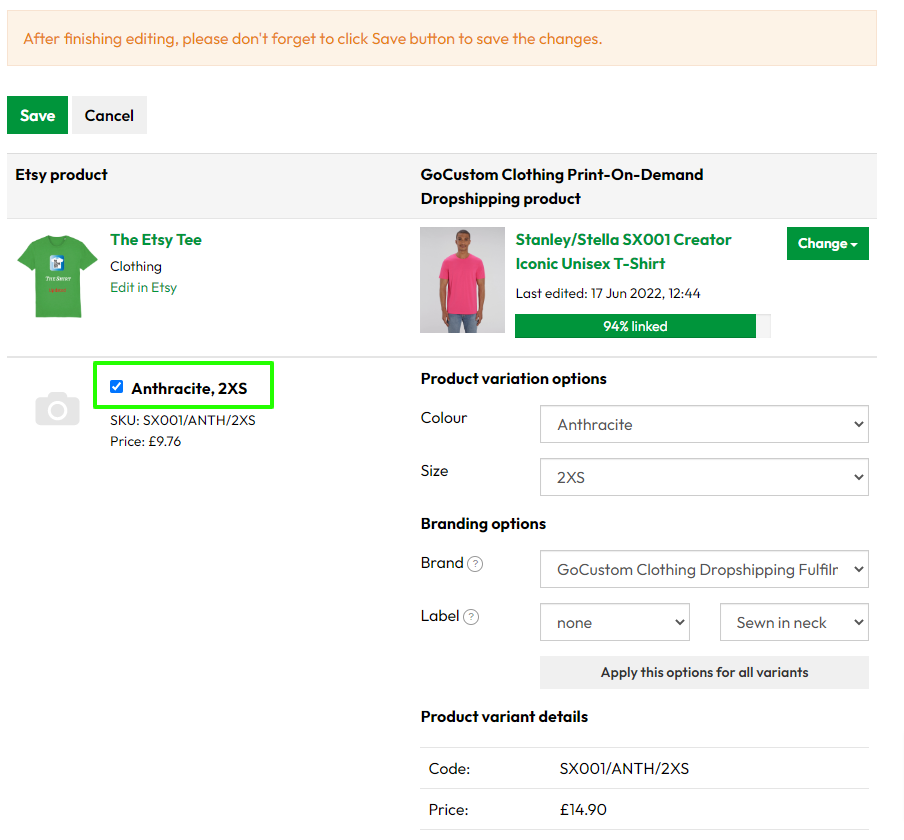
This product is connected ok to your store - [Ticked]
To relink a product:
- Click on Edit
- Check that the colour and size match on the left and right of the screen
- Select your Brand in the brand section
- As you do this for each colour/size you will see the % progress bar turn green. Once this is 100% order will be received correctly.
- You can press SAVE (at the top or bottom of the page) at any time to save your progress.
This product variant has lost it's connection - [not ticked]

You can see that the product variant originally requested is no longer available for sale. If you check the box you can make the relevant selections for the correct variant. If you see the message in red it means that this product is no longer available.
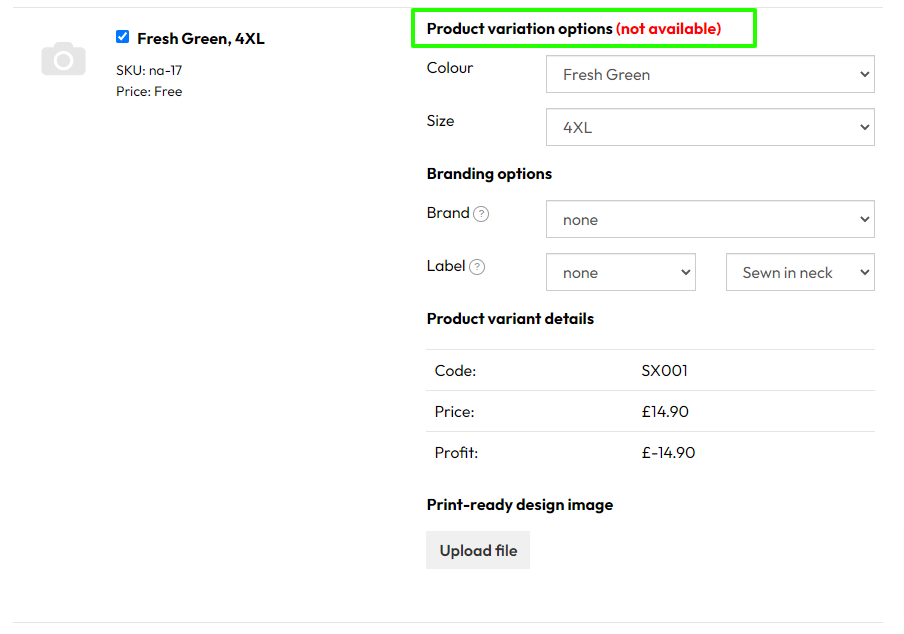
You can choose to leave this setting as it is, orders for the other variants will work correctly. But you must ensure that this variant is no longer listed in your store. If you delete a variant from your store you may notice this list shows 100% again, or you may need to [tick] each item to reconnect it again.
We recommend that you periodically check that your products are 100% linked