
Your cart
There are no more items in your cart
Dropshipping - How do I update a product on my store
Scenario: You have a product which you have already exported to your store, but now you want to edit that product design and update your store.
First, it's important to understand that our integration partners limit our ability to update products through the integration. This means that a product should be re-exported to your store as a 'new' product once you have made the design changes in our platform.
How to do it
To update the design of an existing product go to your products page
Select the design you wish to change and select 'manage'.

Select the product with that design which you wish to update and select 'manage'.

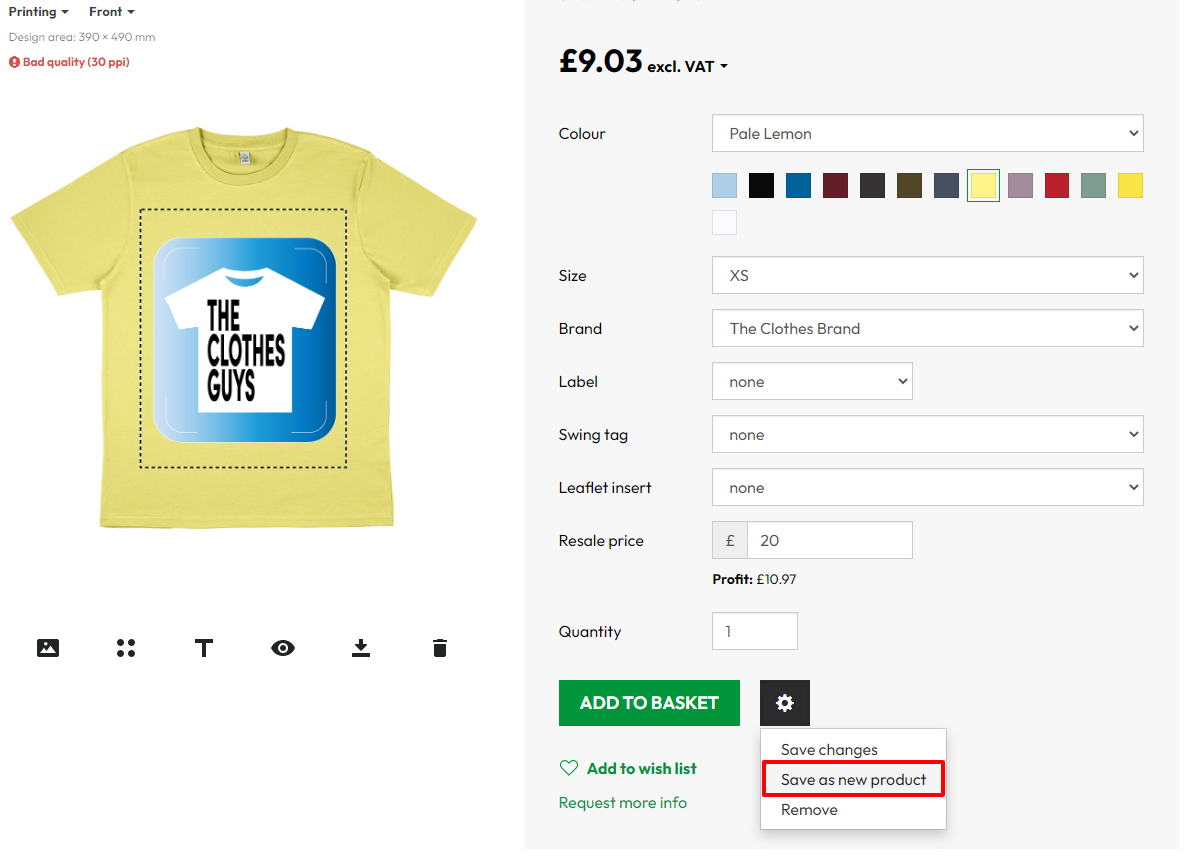
Make any edits you require to the design. You can remove existing artwork or text and make whatever changes you wish. When you have completed your changes select the gear icon near the bottom right of the screen and select 'Save as new product'
You will now need to export this new product to your store with the required size and colour variants. Select 'Export', configure the product for export and then click 'export to . . .'

Your store will now have the old and new versions of the product. You will need to disable the old product in your store.