
Your cart
There are no more items in your cart
Dropshipping - Creating your dropshipping brand
Before you create any products, you must set up at least one brand. You can add several brands to your profile.
The brand you create allows for specific elements to be assigned, including your logo, colour and various settings for your branded packing slips.
Start creating your brand by going to the 'my brands' page and selecting [Add new brand].
You will need to provide a brand/company name and upload your logo. This logo will be printed on packing slips.
You will then be asked to supply customer service details - this is essential as your customers will not be able to contact GoCustom if they have any issues, they will need to contact you.

On the same page, you will also define the main colour for your brand and other information to personalise your brand packing slips. This information is optional but leads to a much better brand experience for your customers.
Packing Slip
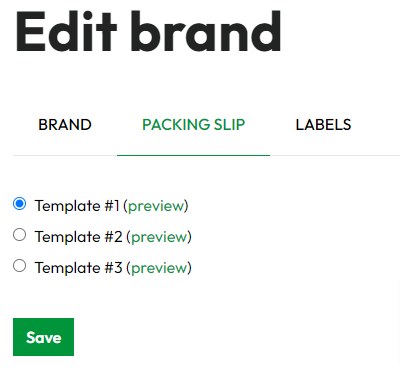
There are 3 layout templates for you to choose from to create your packing slip. You can preview each layout. Select the radio button next to your chosen layout and press save. Now all your orders will be sent with the chosen packing slip included.
Example packing slip (these are printed on A4 Paper)

Labels
These are entirely optional items which are charged extra. These are covered in a separate FAQ