
Your cart
There are no more items in your cart
How do I log in to my GoCustom account?
GoCustom uses passwordless login. This is a more secure way to provide access to your account, plus you no longer need to remember complicated passwords.
When you attempt to log in, you will simply be asked to provide your email address. We will then send you a 6-digit code, which you enter into the website to log in.
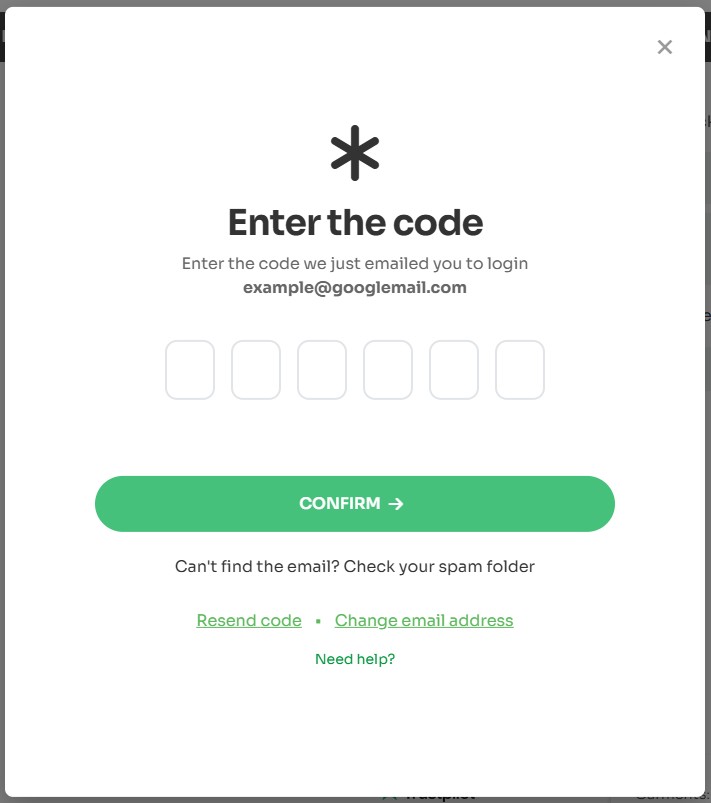
To ensure the best experience, we recommend logging into your account, as this allows us to assist with your basket and provide seamless access to your saved designs and order history.
Potential issues:
1. You don't have an account!
- Email not recognised: If you have previously created an account, your email address will be recognised. However, if you have previously checked out as a guest (not created an account) or this is your first time using GoCustom, you will need to click on 'Create Account'.
- Note that it is not mandatory to create an account on GoCustom, but it's advised, as you will be able to reuse artwork that you have previously used without paying artwork charges again.
2. Code Not Received
- Check your Spam/Junk folder: This is the most common issue.
- Wait a couple of minutes: Codes can sometimes take a moment to arrive.
- Is the email address correct? Check for spelling mistakes etc. The email must match exactly the one used when you created your account. For example, you cannot use [email protected] if you originally used [email protected].
- Resend the code: Try the link to resend the code
3. Code Not Working
- Make sure you're using the latest code: If you requested the code multiple times, only the most recent one.
- Check for typos: Ensure the code was entered exactly as it appeared.
- The code may have expired: Codes expire after 15 minutes. Select "Resend Code" if you have passed 15 minutes..
Still having trouble? Please Contact Support.
- Open the live chat
- Call us on 0330 22 33 321
- Use the contact form
Does this answer your question?
Sorry about that
How can we improve it?
Thanks